

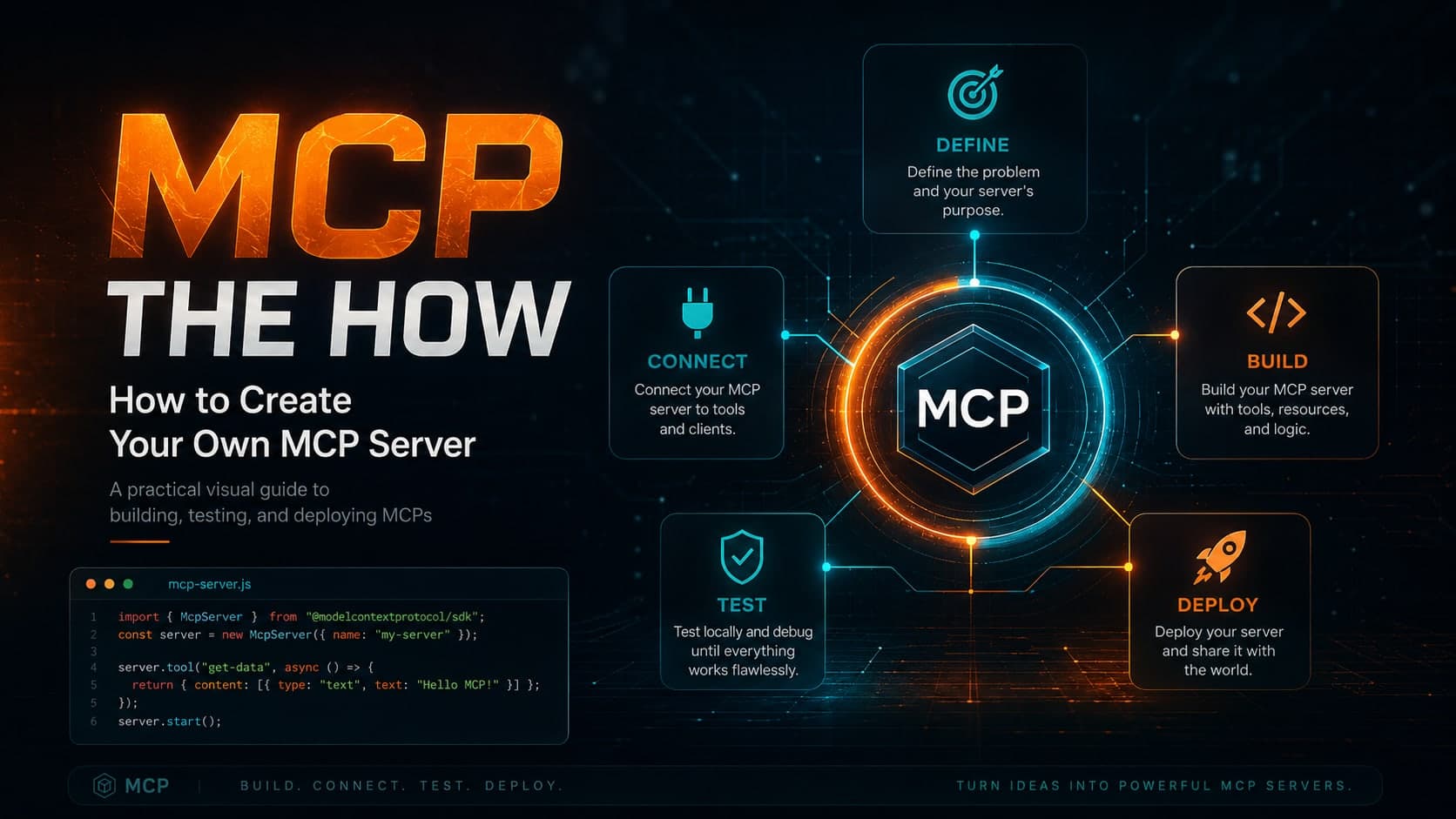
MCP — The How
Two posts ago I told you why the plug exists. Last post I unscrewed the faceplate and named every wire — Host, Client, Server, the three primitives, the JSON-RPC, the transport. Good plumbing. But a diagram you can't run is just a nicer-looking diagram.
So this is the one where I stop pointing and start typing. We're going to use a server somebody else built, build one from an empty file, watch a single sentence I type turn into a database row, and then flip exactly one line to put that server on the internet. I'll show you the afternoon it broke in production too, because the bug is more instructive than the happy path.
Everything here traces back to the same CampusX trilogy I've been crediting all series — but the code is real, pulled from the actual repos, and I've made the diagrams playable so you can drive each step instead of watching me.
The three ways in
Before any code, the map that made it click for me. There are only three ways an AI ever talks to a tool, and they differ by who you bring to each side of the connection:
This post is options ① and ② — the two that pay rent. We'll start by borrowing, because it's the fastest way to feel the protocol working, then build the server that makes ② yours.
Act I · Borrowing servers you didn't build
The fastest MCP win costs zero lines of code: point a client you already have at a server someone already wrote. The client here is Claude Desktop, and it gives you two doors into a server. Same destination, very different ergonomics — tap between them:
read_file, write_file, edit_file, …). Cloud ones sign you in with OAuth. No JSON, no transports, no terminal.claude_desktop_config.json. You declare each server: a command to launch it, its args, and any secrets in env. Restart Claude and the tools appear. This is how anything not in the gallery gets in — including a remote/API server like X (Twitter), which you add here, "without connectors":# a local server (Manim) — launched as a process { "mcpServers": { "manim-server": { "command": "/absolute/path/to/python", "args": ["/path/to/manim-mcp-server/src/manim_server.py"] }, // a remote/API server (X) — npx package + secrets in env "twitter-mcp": { "command": "npx", "args": ["-y", "@enescinar/twitter-mcp"], "env": { "API_KEY": "…", "ACCESS_TOKEN": "…" } } } }
So why doesn't everything go through the easy door? Because Connectors are officially built, hosted and secured by Anthropic — and that doesn't scale to "every server anyone could ever write." MCP is an open standard precisely so you don't need a gatekeeper's blessing to publish a server. Connectors are the curated lobby; the config file is the door for everyone else. The full catalogue of community servers — filesystem, weather, the lot — lives in the awesome-mcp-servers list, and any of them drops into that config in about a minute.
That's borrowing. It's genuinely useful and it's where I'd start anyone. But the moment you want Claude to touch your data — your tickets, your notes, your expenses — nobody's published that server. You have to build it. Good news: it's shorter than this section.
FastMCP, or: you won't write the boilerplate
When MCP launched, Anthropic shipped an official Python SDK (mcp). It works, and it's the reference, but writing a server with the raw SDK means hand-registering every tool, hand-writing its JSON schema, and hand-dispatching every call. A community helper called FastMCP — from Prefect's founder Jeremiah Lowin — collapses all of that into one decorator. It's now a standalone package (pip install fastmcp), and it's what we'll use. The contrast is the whole pitch:
from mcp.server.lowlevel import Server import mcp.types as types server = Server("demo-sdk") @server.list_tools() async def list_tools(): return [types.Tool( name="add", description="Add two numbers", inputSchema={"type":"object", "properties":{ "a":{"type":"number"}, "b":{"type":"number"}}, "required":["a","b"]})]@server.call_tool() async def call_tool(name, arguments): if name == "add": return arguments["a"] + arguments["b"]
from fastmcp import FastMCP

mcp = FastMCP("Demo")

@mcp.tool()
def add(a: int, b: int) -> int:
    """Add two numbers."""
    return a + b
Act II · From an empty file to a working tool
Let's build something real: an expense tracker Claude can write to in plain English. First the project, using uv (the fast Python package manager):
Now main.py. I'm going to grow it one decision at a time — step through it, and watch the highlighted lines accrete into a server:
from fastmcp import FastMCPmcp = FastMCP("ExpenseTracker")
import os, sqlite3
DB_PATH = os.path.join(os.path.dirname(__file__), "expenses.db")
def init_db():    with sqlite3.connect(DB_PATH) as c:        c.execute("""            CREATE TABLE IF NOT EXISTS expenses(                id INTEGER PRIMARY KEY AUTOINCREMENT,                date TEXT NOT NULL, amount REAL NOT NULL,                category TEXT NOT NULL,                subcategory TEXT DEFAULT '', note TEXT DEFAULT ''            )""")init_db()
@mcp.tool()def add_expense(date, amount, category, subcategory="", note=""): '''Add a new expense entry to the database.''' with sqlite3.connect(DB_PATH) as c: cur = c.execute( "INSERT INTO expenses(date,amount,category,subcategory,note)" " VALUES (?,?,?,?,?)", (date, amount, category, subcategory, note)) return {"status": "ok", "id": cur.lastrowid}
@mcp.tool()
def list_expenses(start_date, end_date):
    '''List expense entries within an inclusive date range.'''
    with sqlite3.connect(DB_PATH) as c:
        cur = c.execute("SELECT id,date,amount,category,subcategory,note"
            " FROM expenses WHERE date BETWEEN ? AND ? ORDER BY id",
            (start_date, end_date))
        cols = [d[0] for d in cur.description]
        return [dict(zip(cols, r)) for r in cur.fetchall()]

@mcp.tool()
def summarize(start_date, end_date, category=None):
    '''Summarize expenses by category in a date range.'''
    # GROUP BY category, SUM(amount) — same shape as list
@mcp.resource("expense://categories", mime_type="application/json")def categories(): # read fresh so you can edit the file without restarting with open(CATEGORIES_PATH, encoding="utf-8") as f: return f.read()
if __name__ == "__main__": mcp.run()
That is a complete, working MCP server — about twenty lines that matter. Before wiring it into Claude, you sanity-check it with MCP Inspector, a local web UI that speaks to your server exactly like a client would:
The Inspector lists your tools, lets you call them with hand-typed arguments, and shows the raw initialize handshake — invaluable for catching a broken tool before Claude ever sees it. When it's green, install into Claude Desktop with one command:
Restart Claude, and three toggles appear in the tool menu — Add expense, List expenses, Summarize — plus your categories resource under "Add from ExpenseTracker." You built a server. Claude can use it. That's option ② from the map, done.
mcp = FastMCP.from_fastapi(app=app) turns every existing route into an MCP tool — one line, and your web backend is also an AI backend.Watching a single request cross the wire
Here's the part that turned MCP from "config I copy-paste" into something I actually understood. When I type a sentence at Claude, five things happen in order. Step through them — the glowing box is where your request is right now, and the panel shows the exact JSON-RPC on the wire at that moment:
"I spent ₹200 on lunch today, that's food."
tools/list), matches your intent to add_expense, and fills the arguments from your sentence.// the model's decision, not yet on the wire add_expense(date="2026-06-29", amount=200, category="food", note="lunch")
{ "jsonrpc": "2.0", "id": 2, "method": "tools/call",
  "params": { "name": "add_expense",
    "arguments": { "date": "2026-06-29", "amount": 200,
                   "category": "food", "note": "lunch" } } }
INSERT INTO expenses(date, amount, category, note)
VALUES ('2026-06-29', 200, 'food', 'lunch');
-- → new row, id = 7
id, and Claude turns it back into a sentence for you.{ "jsonrpc": "2.0", "id": 2,
"result": { "status": "ok", "id": 7 } }
// Claude: "Added ₹200 for lunch under food. ✓"
Once you've seen those five steps, every MCP server you'll ever meet is the same loop with different SQL in the middle.
Act III · The one line that makes it remote
So far the server runs on my laptop, launched by my Claude. That's a local server: fast, private, single-machine, one user. A remote server lives on the internet — reachable by many clients, a little slower over the network, but shareable and far more powerful. It's what every enterprise MCP server actually is.
Here is the part I find almost suspiciously elegant: the difference between the two is one line. Flip the switch:
# …all three tools, unchanged, above this line…if __name__ == "__main__": mcp.run()
fastmcp install set up for you.# …all three tools, unchanged, above this line…if __name__ == "__main__": mcp.run(transport="http", host="0.0.0.0", port=8000)
Run the HTTP version and FastMCP tells you exactly what it did:
Shipping it: deploy to FastMCP Cloud
A server bound to localhost:8000 is remote in spirit only — nobody else can reach it. To put it on the real internet, the fastest path is FastMCP Cloud, which deploys straight from a GitHub repo, free. The flow that took me from laptop to live URL:
- Push to GitHub.
git init→commit→git push. FastMCP Cloud deploys from the repo, so the repo is the deploy artifact. - Create a server at fastmcp.cloud → "Deploy from your code" → pick the repository and branch.
- Configure it: a server name (becomes your URL, and can't be changed later) and the entrypoint (
main.py). Toggle Authentication on if you want it locked down. - Deploy. It builds, goes Live, and hands you a permanent address:
https://your-name.fastmcp.app/mcp— always pointing at the latest commit on your branch. - Connect it to Claude Desktop → Settings → Connectors → Add custom connector → paste the name and the
/mcpURL. Claude warns it's unverified (it's yours — that's expected), you click Add, and your cloud server is now a tool in the client.
That's the entire arc: a sentence I type reaches a Python function running in the cloud, and the answer comes back as a sentence. ① borrow, ② build, ③ ship — done. Except real deploys don't end on step 5. Mine didn't.
The afternoon it broke (and what fixed it)
I deployed the expense tracker, opened Claude, and tried the most obvious thing:
It worked perfectly on my laptop and refused to write a single row in the cloud. The cause: my tools used synchronous sqlite3, opening the database on the request thread. On Cloud's runtime that path was read-only, and synchronous blocking I/O is the wrong shape for an async HTTP server anyway. The fix was to make the database layer async with aiosqlite, and switch on SQLite's write-ahead log. Same tools, same SQL — different plumbing underneath:
import sqlite3 @mcp.tool()def add_expense(date, amount, category, …): with sqlite3.connect(DB_PATH) as c: cur = c.execute("INSERT INTO expenses …", …) return {"status": "ok", "id": cur.lastrowid}
import aiosqlite @mcp.tool()async def add_expense(date, amount, category, …): async with aiosqlite.connect(DB_PATH) as c: cur = await c.execute("INSERT INTO expenses …", …) await c.commit() return {"status": "ok", "id": cur.lastrowid}
aiosqlite, plus PRAGMA journal_mode=WAL at init. Push, Cloud rebuilds, and "navratri dinner" finally lands in the table.There's a second way to attach a remote server that's worth knowing, because it's how the most polished setups do it: a proxy. Instead of pasting a URL into Claude, you run a tiny local server whose only job is to forward to the remote one over HTTP. Claude talks to the local proxy over STDIO; the proxy talks to the cloud:
from fastmcp import FastMCP
# a local STDIO server that forwards to the deployed one
mcp = FastMCP.as_proxy(
    "https://your-name.fastmcp.app/mcp",
    name="My Server Proxy")
if __name__ == "__main__":
    mcp.run()   # STDIO — installable with fastmcp install claude-desktop
Ten lines, and you've bridged a STDIO client to an HTTP server without either side knowing. That's the transport-agnostic promise paying off a third time.
The dish: the server that wrote this series
I've been showing you the recipe. Time for the dish.
Every post in this series — the why, the what, and this one — started as messy notes in OneNote. To write them, I don't copy-paste screenshots into a chat window. I built a small OneNote MCP server: tools to list my notebooks, pull a page, convert its ink and screenshots to clean markdown, download every image. It's the exact pattern from Act II — @mcp.tool() over an API instead of SQLite — running over the exact STDIO pipe from Act III's left toggle.
Which means the loop is closed in a way I still find slightly absurd: the server you just learned to build is the one that fed me the notes to teach you how to build it. When I started Part 1, that was a promise — "I built a small MCP server to kill my copy-paste problem." Three posts later it's the byline. None of it is clever. It's just consistent — and consistency, as I keep saying, is the entire point.
Where this goes next
If you opened MCP Inspector back in Act II, you saw tabs we never touched: Sampling, Elicitation, Auth. Those are the next rung — the server asking the model to generate something mid-call (sampling), the server pausing to ask the user a question (elicitation), and locking the whole thing down with real authentication (the toggle you flipped at deploy). They turn a server from a set of functions into a genuine collaborator.
That's where my own notes trail off, with a single line I wrote to future-me: "Bring Authentication, Sampling and Elicitation." Consider that the trailer for whatever I build next. For now, you have the whole spine — borrow a server, build a server, ship a server. Go make Claude touch something only you have.
References and Resources
- Build an MCP server — FastMCP docs — the library this whole post is written in: tools, resources, transports,
from_fastapi, andas_proxy. - FastMCP Cloud — free deploy-from-GitHub hosting for remote servers.
- Model Context Protocol — official docs — the spec, the primitives, and the reference SDKs.
- MCP Inspector — the local UI for poking at a server before a client ever sees it.
- awesome-mcp-servers — the catalogue of community servers to borrow from in Act I.
- CampusX code: expense-tracker-mcp-server (local) · test-remote-mcp-server (remote).
Massive Shoutout to CampusX
This finale stitches together the three "How" videos from the CampusX MCP trilogy: connecting servers to Claude Desktop, building local servers, and building & deploying remote servers — the same series I credited in Part 1 and Part 2. Captions were off on all three, so this is my write-up from the code and my own notes rather than a transcript — but the clarity is all theirs. Subscribe to the CampusX YouTube channel if any of this landed.